
12 December 2017
Improvements
Custom verification statuses, descriptions and comments
This product release includes updates that allows you to customise the verification statuses, descriptions and comments in SitePass. The changes introduced allow you to tailor the workflow closer to your business requirements, and importantly make the verification process quicker and simpler. The configuration of the verification settings can be found under SitePass settings, terminology settings, and the new features include the following:
Customise the status labels and descriptions
The verification status labels and descriptions for SitePass workflow can be customised under the verification terminology settings.This update allows you to modify the statuses of Approved, Declined, Pending, In Progress, Submitted for Approval, Approved Conditional and Not Applicable with custom labels and descriptions. For example, the status of Approved can be changed to Verified, with a custom description to align to this status change.
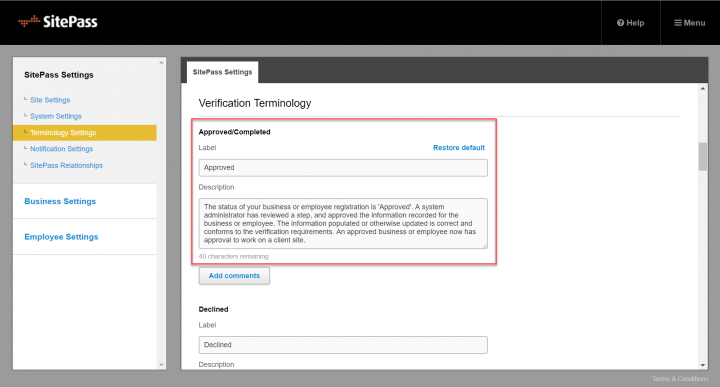
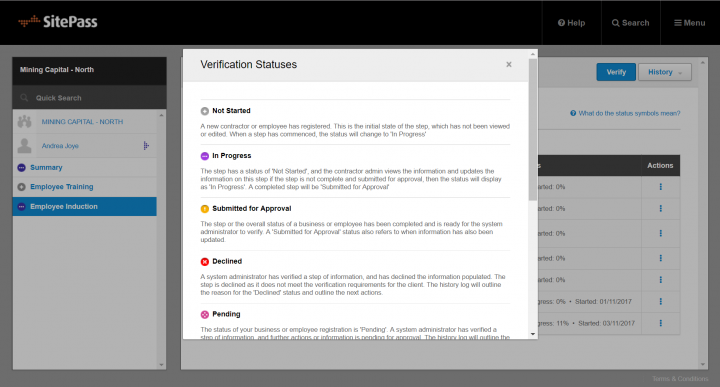
The custom status label will be used throughout the system where ever this status is presented and the custom description will be available in the What do the status types mean? pop up window which appears throughout the application.
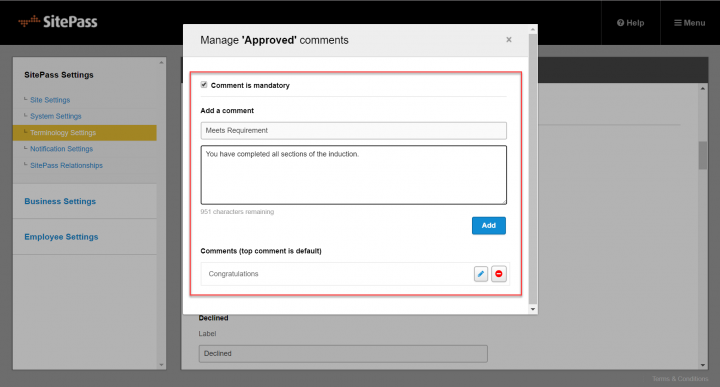
Create custom comments for each status
When verifying a workflow, a comment is required to be entered to outline the reason for the status change.This update now allows you to:
- Make the comment optional for each status. This avoids a comment having to be entered when verifying the step, and
- Create custom comments for each status.When verifying a workflow instead of typing in a comment each time, you can select from a list of predefined custom comments created for each status.
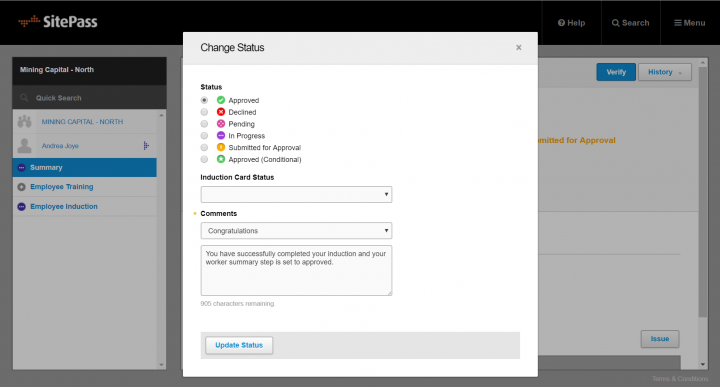
Verification Step
When the custom comment is selected, the comments can be modified before submitting the status, or you can choose to enter an alternative custom comment at the time of verification.
Remember to subscribe to the release notes so that you can be notified of new releases when they go live.

